
Why Windows Search Feels Slow — And How Instant Local Search Fixes It
Stop waiting on Windows Explorer search. Learn how local filename indexing and live filter queries find any file on Windows 11 in milliseconds.
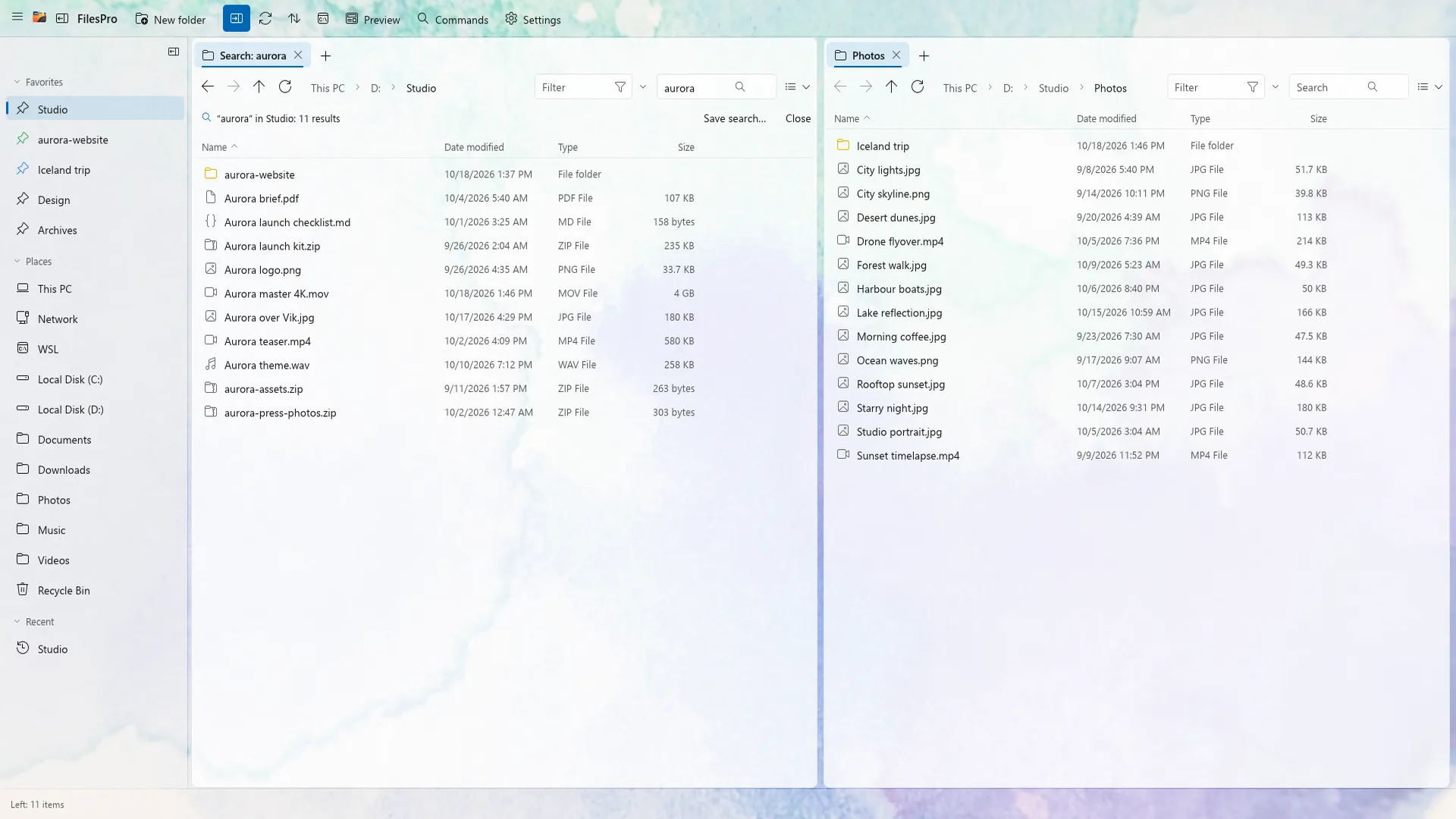
Why default Windows search keeps making you wait
If you have ever typed a filename into Windows File Explorer and watched the green bar crawl across the address bar for twenty seconds, you are not alone. By default, Windows only indexes a handful of user folders—every unindexed drive, project repo, or external SSD gets scanned folder by folder on the fly.
Worse, the Windows Start search bar frequently blends local files with web suggestions, adding latency and clutter when all you wanted was one PDF you saved last week.
How search-as-you-type works with a local filename index
Instead of walking tens of thousands of directories every time you press Enter, FilesPro maintains a lightweight filename index strictly on your own PC. As soon as you type a few letters, matching files across a folder or entire drives appear instantly.
- Word matching: type invoice 2026 in any order to match 2026-04-client-invoice.pdf.
- Fuzzy matching: find a file even if you remember only half the name or skip characters.
- Wildcards and regex: match structured names like report_2026_??.csv or complex patterns.
- Zero cloud upload: your index never leaves your computer.
Live filter cheat sheet for narrowing busy folders
Sometimes you already know the folder—like Downloads or a client archive—and just want to slice through hundreds of mixed files immediately. FilesPro’s live filter bar narrows the current pane without leaving the folder:
| Filter query | What it shows |
|---|---|
| ext:pdf | Only PDF documents in the current folder |
| size:>5mb | Files larger than 5 MB (great for clearing space quickly) |
| date:<7d | Files modified within the last 7 days |
| type:image | All picture formats (PNG, JPG, WebP, HEIC, SVG) together |
Frequently asked questions
Does local filename indexing slow down Windows startup or gaming?
No. A filename-only index is tiny compared to full-text document indexing and stays quiet in the background without heavy disk thrashing.
Can I search inside a single project folder instead of the whole PC?
Yes. You can switch between filtering the current folder live and searching across whole drives depending on what you need.
Does FilesPro send my search queries or file list anywhere?
Never. FilesPro has no accounts, no ads, and no telemetry—your filename index and settings stay completely on your PC.

Try FilesPro on Windows
A fast, keyboard-first file manager for Windows, built in Rust.