Dual-pane file manager for Windows
FilesPro
A fast, keyboard-first file manager for Windows, built in Rust.
Overview
What FilesPro does
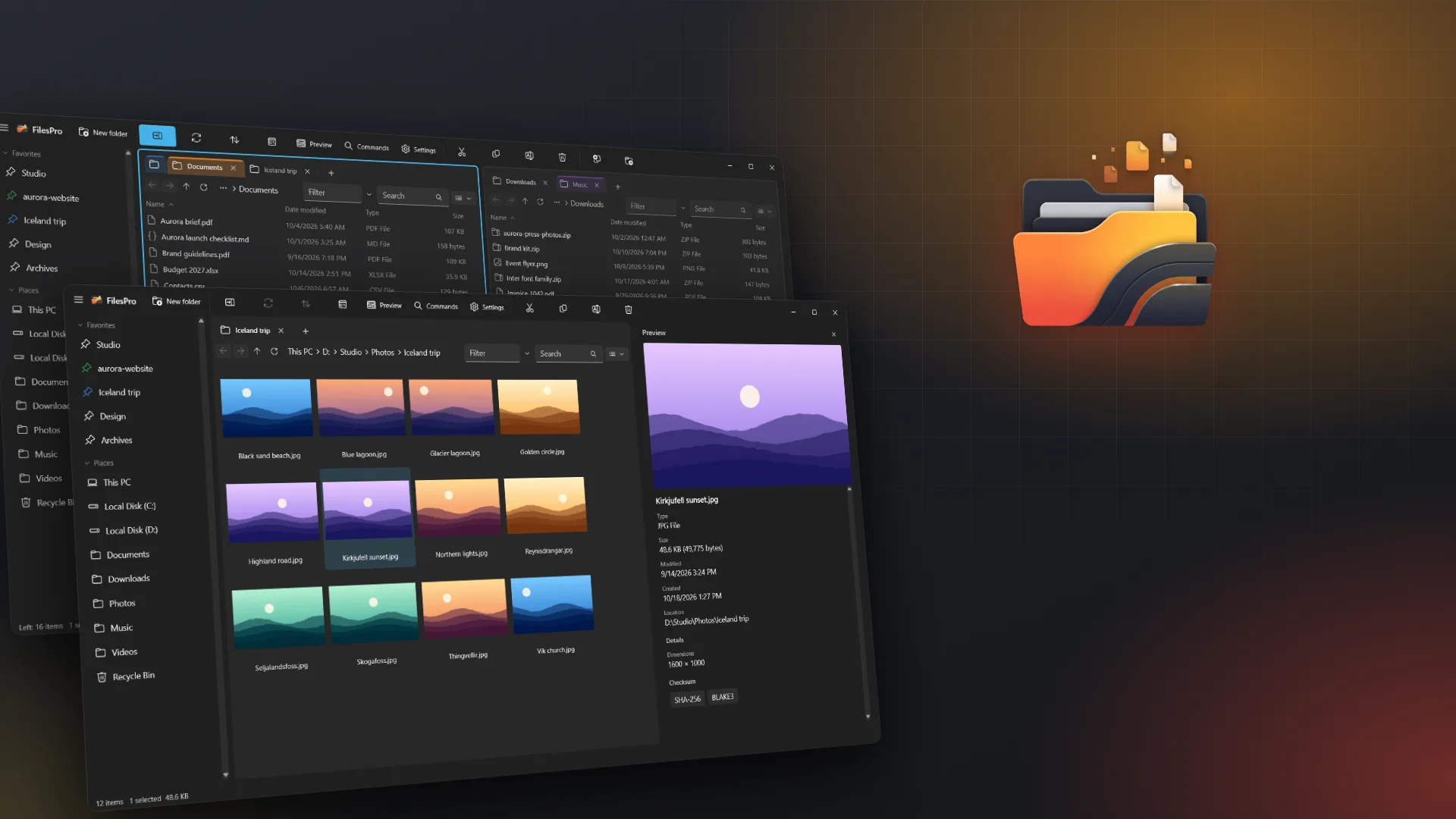
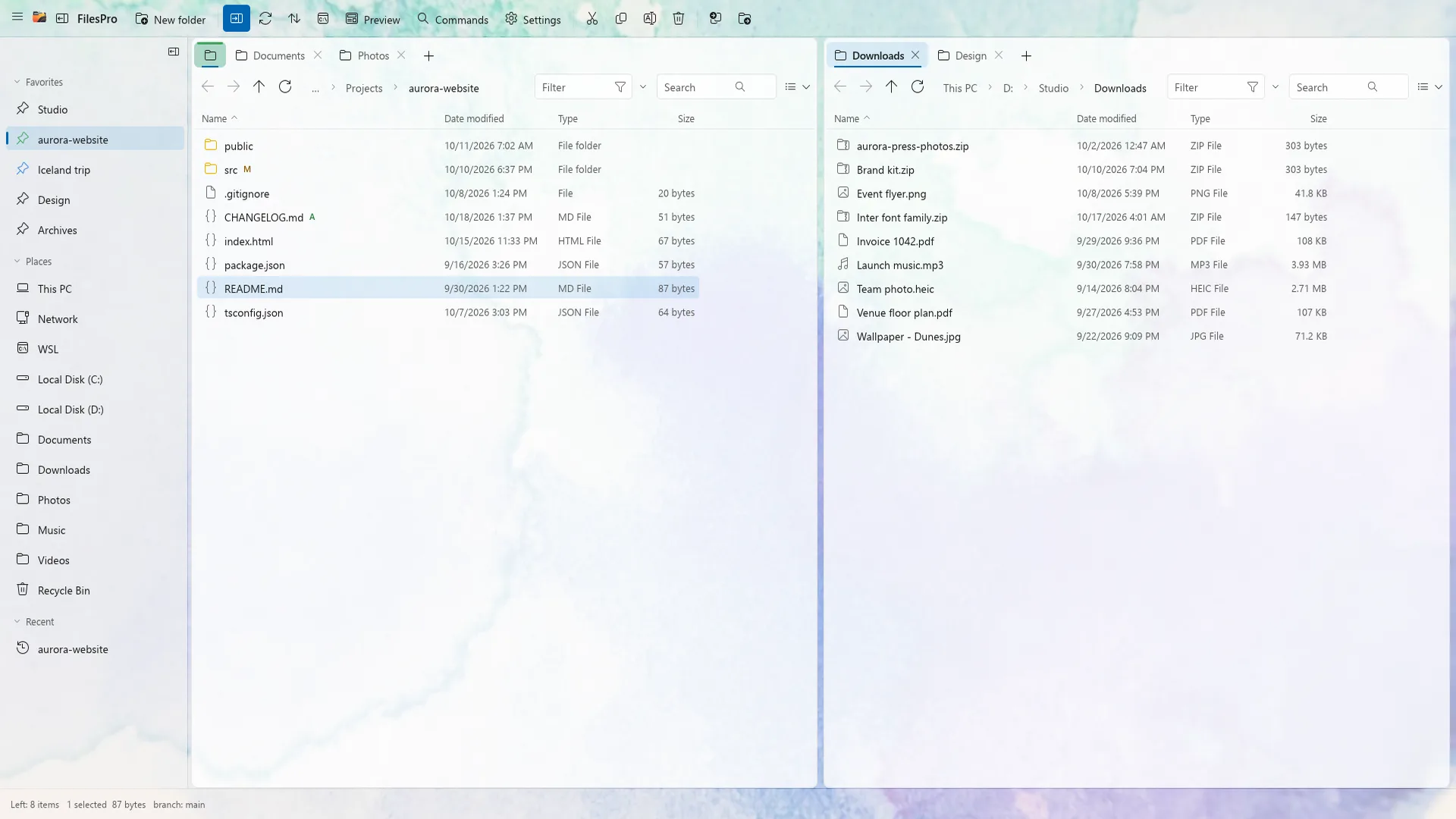
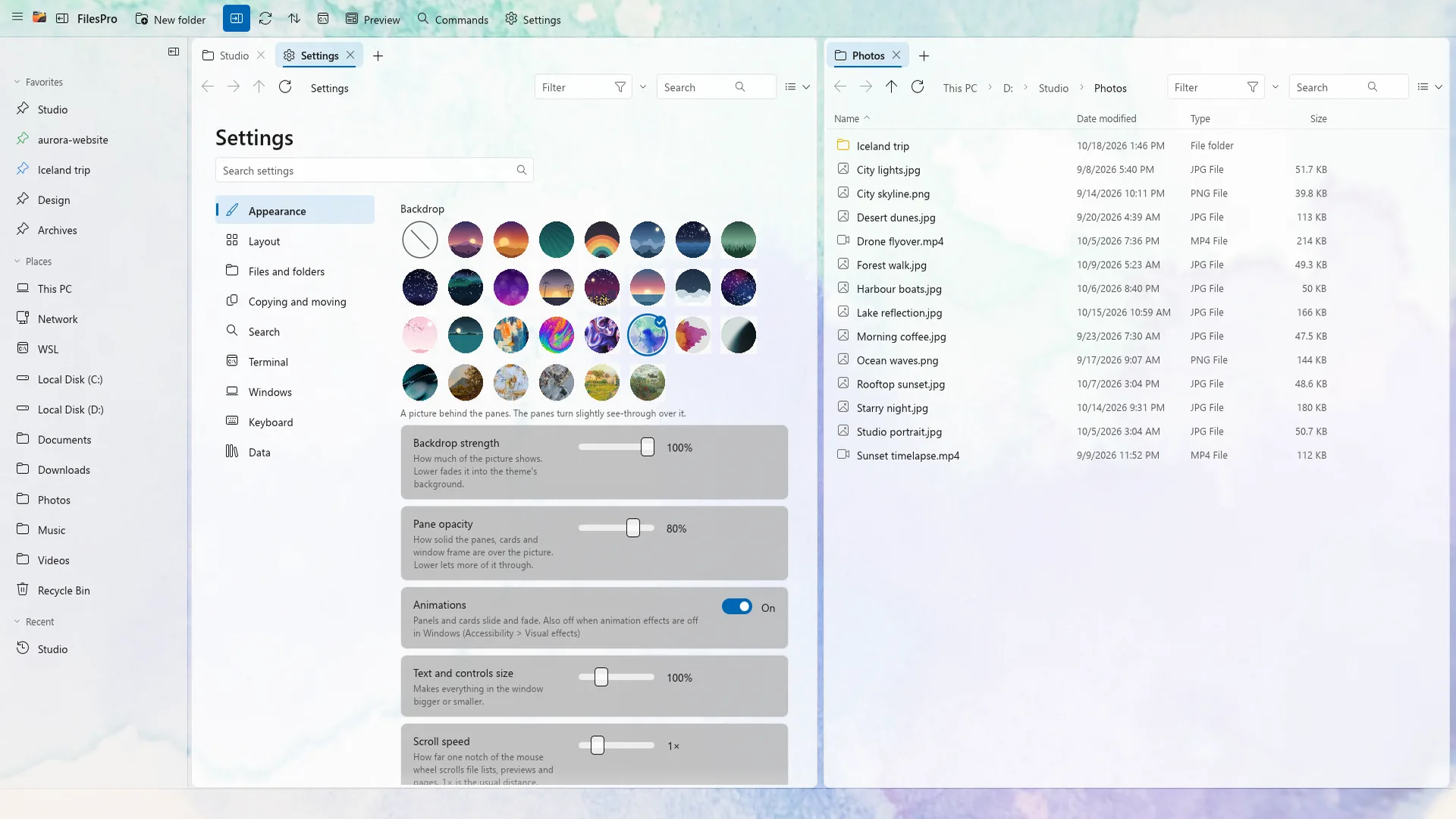
Two panes, tabs, instant search and an operation queue you can pause, resume and undo. FilesPro opens code, PDFs, documents, pictures and video in its own viewer tab, runs terminals side by side, tags files, finds duplicates, shows what fills your disk and syncs folders. 28 colour themes and 29 backdrops. No account, no ads, no telemetry.
Features
Everything in FilesPro
- Dual pane with tabs
- Pin, colour, resize and reorder tabs, or move one to the other pane.
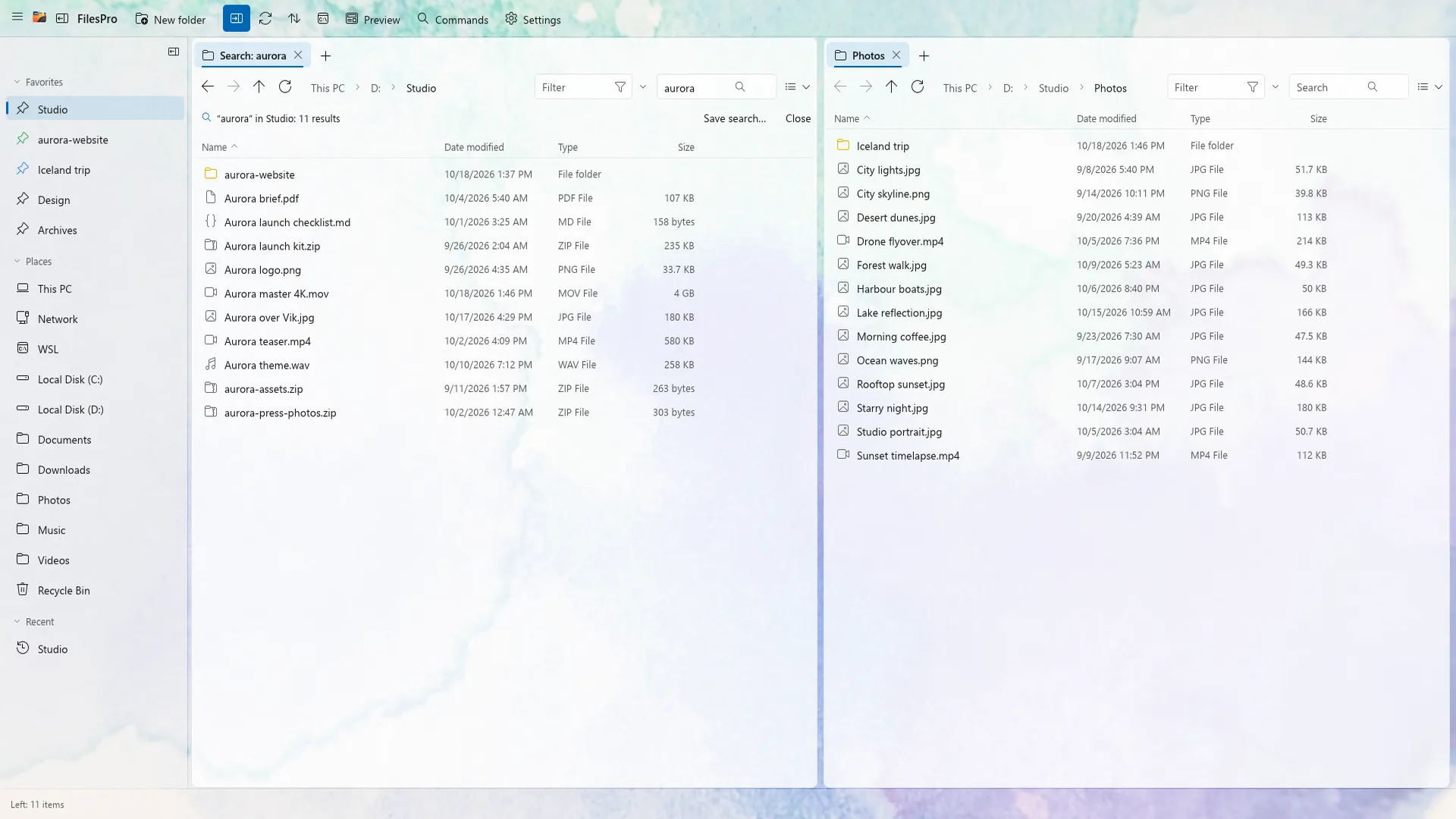
- Instant search
- Search as you type from a local filename index: words, fuzzy, wildcards or regular expressions.
- Live filters
- Filter the current folder with ext:pdf, size:>5mb, date:<7d or type:image.
- Operation queue
- Run jobs side by side, pause, resume, reorder or cancel. Undo survives a restart.
- Verified copies
- Resumable copies with crash recovery and BLAKE3 or SHA-256 checks.
- Viewer tab
- Code editor, searchable PDFs, Word, Markdown, CSV, SVG, HEIC, hex view, audio and video.
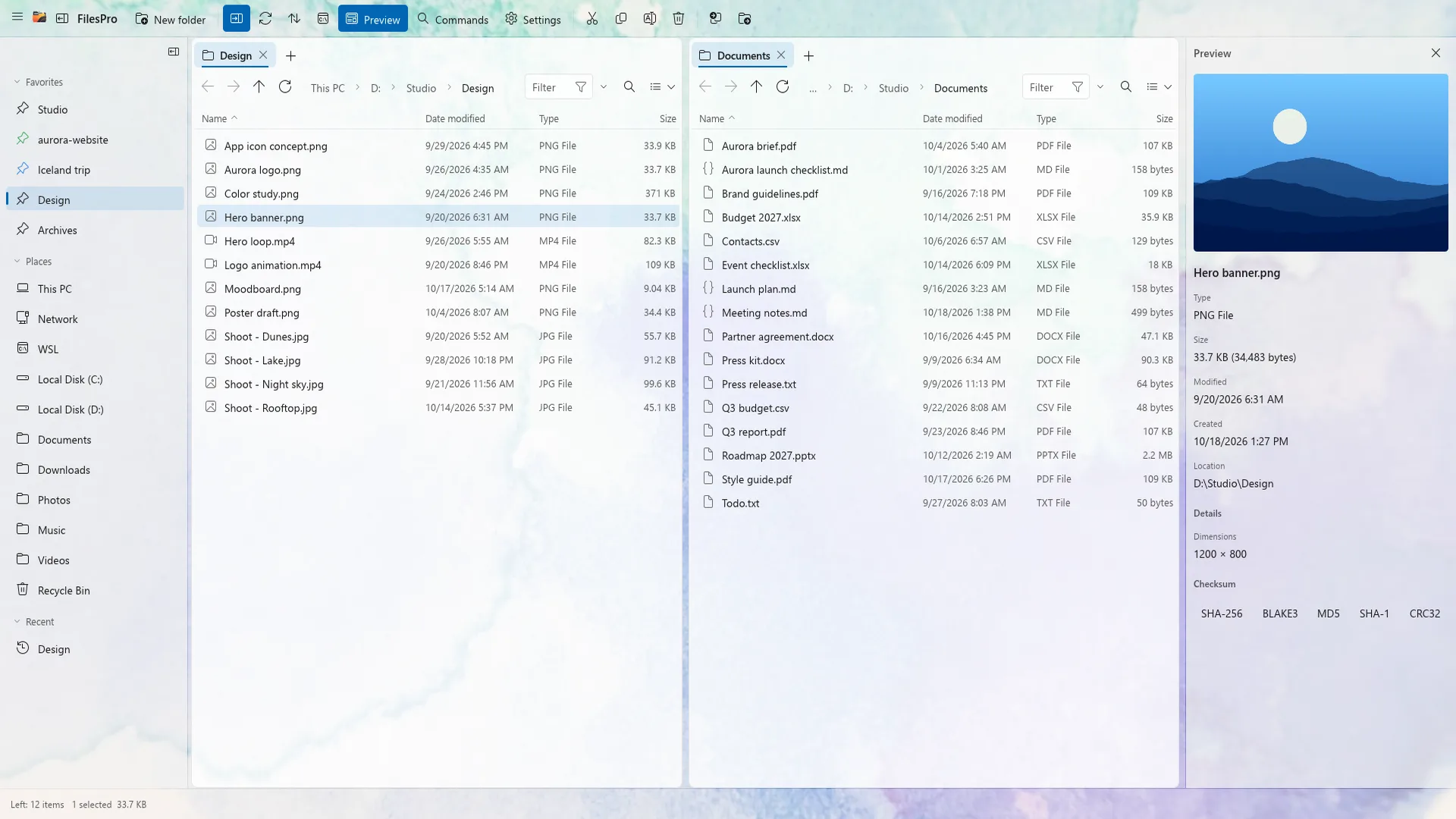
- Six views
- Group by anything, Quick Look with Space, and a preview pane.
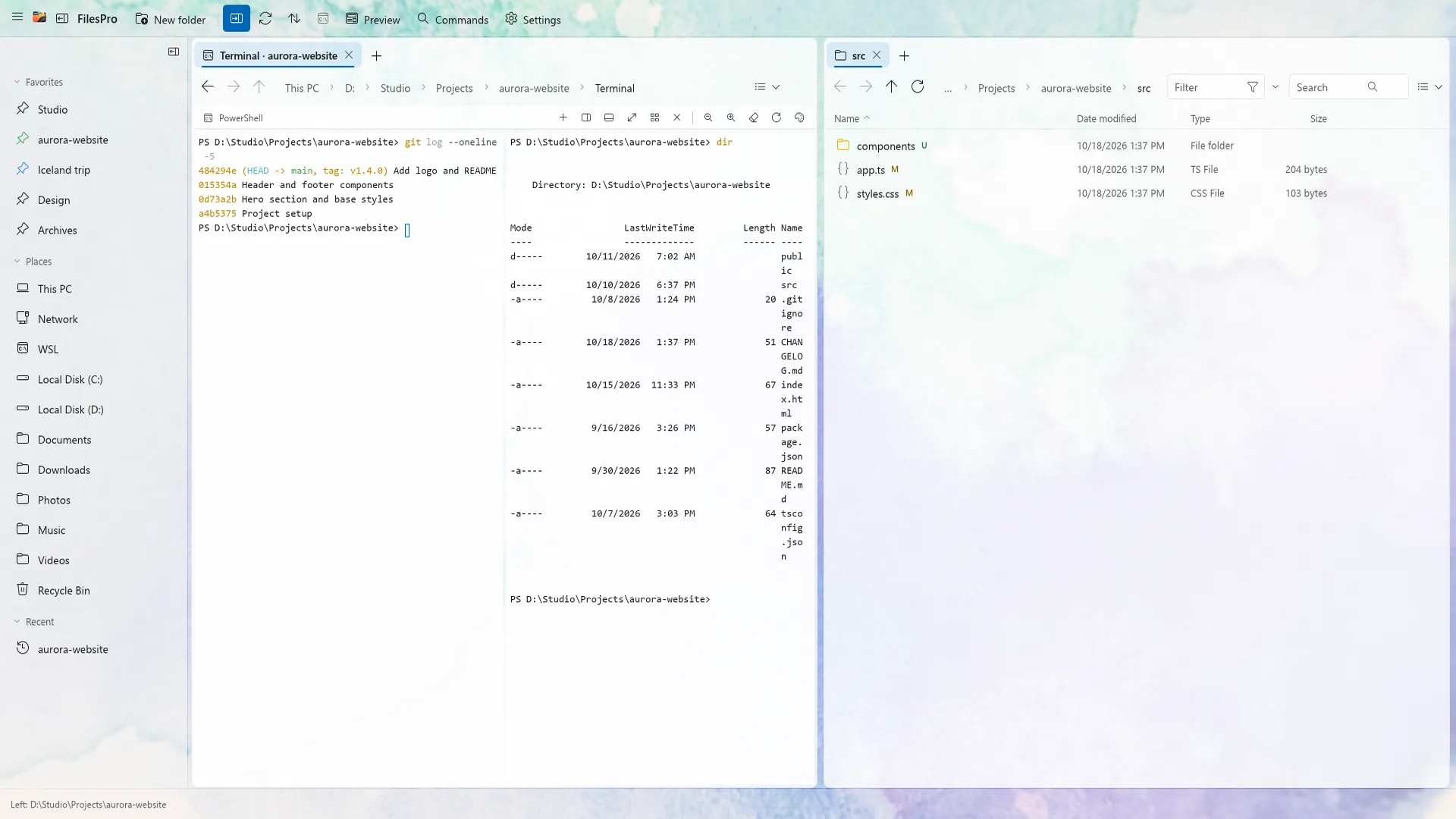
- Integrated terminals
- Terminals that follow your folder, split into tiles in a dock.
- Tags
- Coloured labels for files that are easy to find again.
- Duplicate finder
- Compares content and keeps the copy you choose.
- Disk usage treemap
- See what fills a folder at a glance.
- Folder sync
- Mirror, two-way or update-only, previewed and undoable.
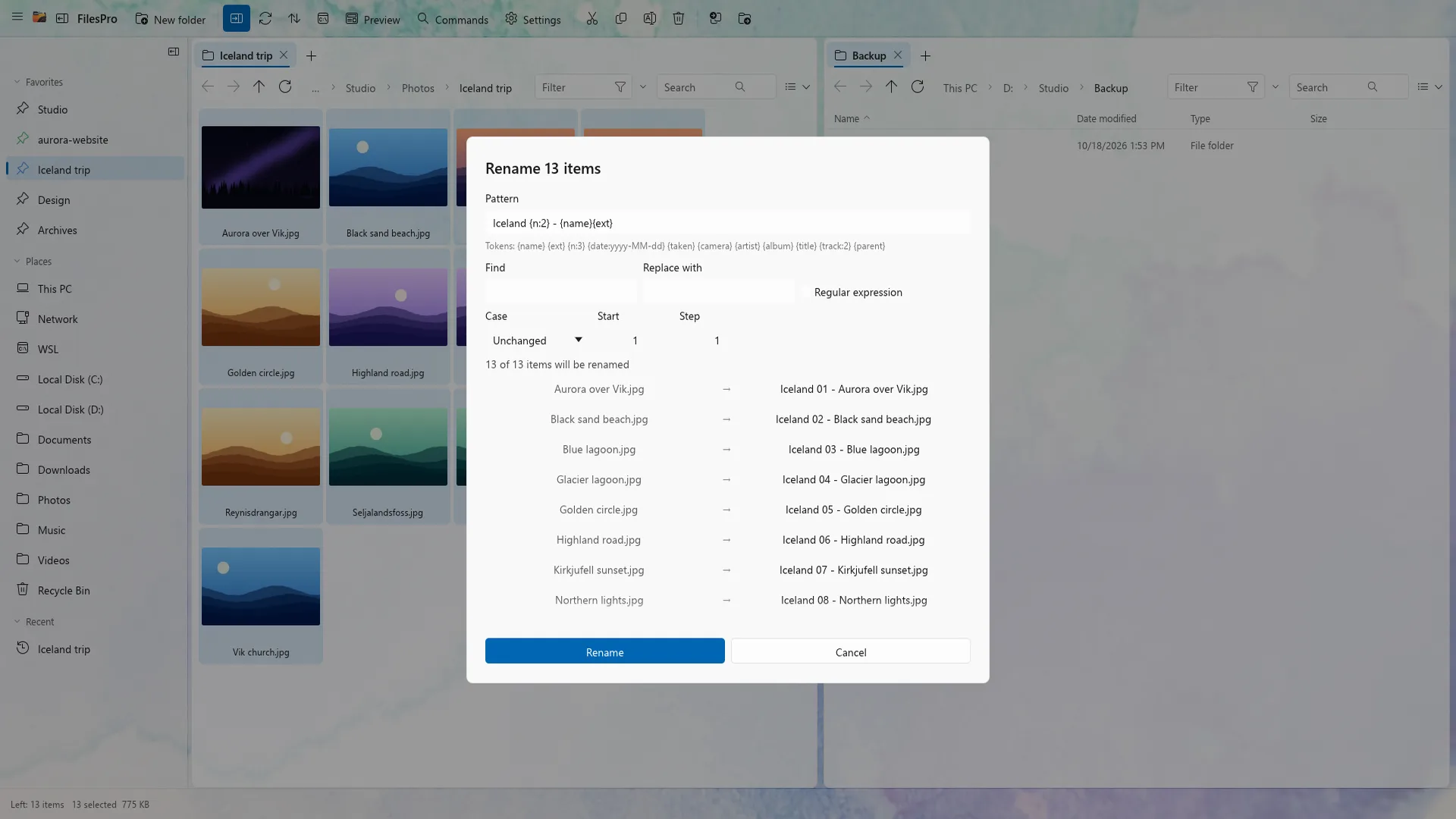
- Batch rename
- Tokens, EXIF and ID3 tags, regular expressions and a live preview.
- Archives as folders
- Browse zip, 7z and tar. Create zip and 7z with AES-256 encryption.
- Compare panes
- Copy only what is new or different.
- Remote and WSL
- SFTP servers, network shares and WSL distributions in the sidebar.
- Command palette
- Customisable shortcuts with File Explorer, Total Commander and Vim presets.
- Open in your tools
- Windows Terminal, VS Code, Zed and your own custom tools.
- Themes
- 28 colour themes and 29 backdrops behind your files.
- Private by design
- No account, no ads, no telemetry. Your index and settings stay on your PC.
Screenshots
See it in action
FAQ
Frequently asked questions
Is FilesPro free?
FilesPro is available on the Microsoft Store for Windows 10 and 11. See the Store listing for current pricing and any trial.
Does FilesPro collect telemetry?
No. FilesPro has no account, no ads and no telemetry. The filename index and your settings stay on your PC.
Can I use FilesPro with the keyboard only?
Yes. Every action is a command with a rebindable shortcut, and Ctrl+Shift+P opens the command palette. Presets match File Explorer, Total Commander and Vim.
Does undo work after a restart?
Yes. The operation journal persists, so Ctrl+Z undoes file operations even after FilesPro or Windows restarts.
Which archive formats are supported?
Zip, 7z and tar archives open like folders. FilesPro creates zip and 7z archives with optional AES-256 encryption.
Get FilesPro
Install FilesPro from the Microsoft Store on Windows 10 or 11.