

Forensic system monitor for Windows
Noyare
See your machine think. A forensic system monitor and utility suite built natively in Rust.
Overview
What Noyare does
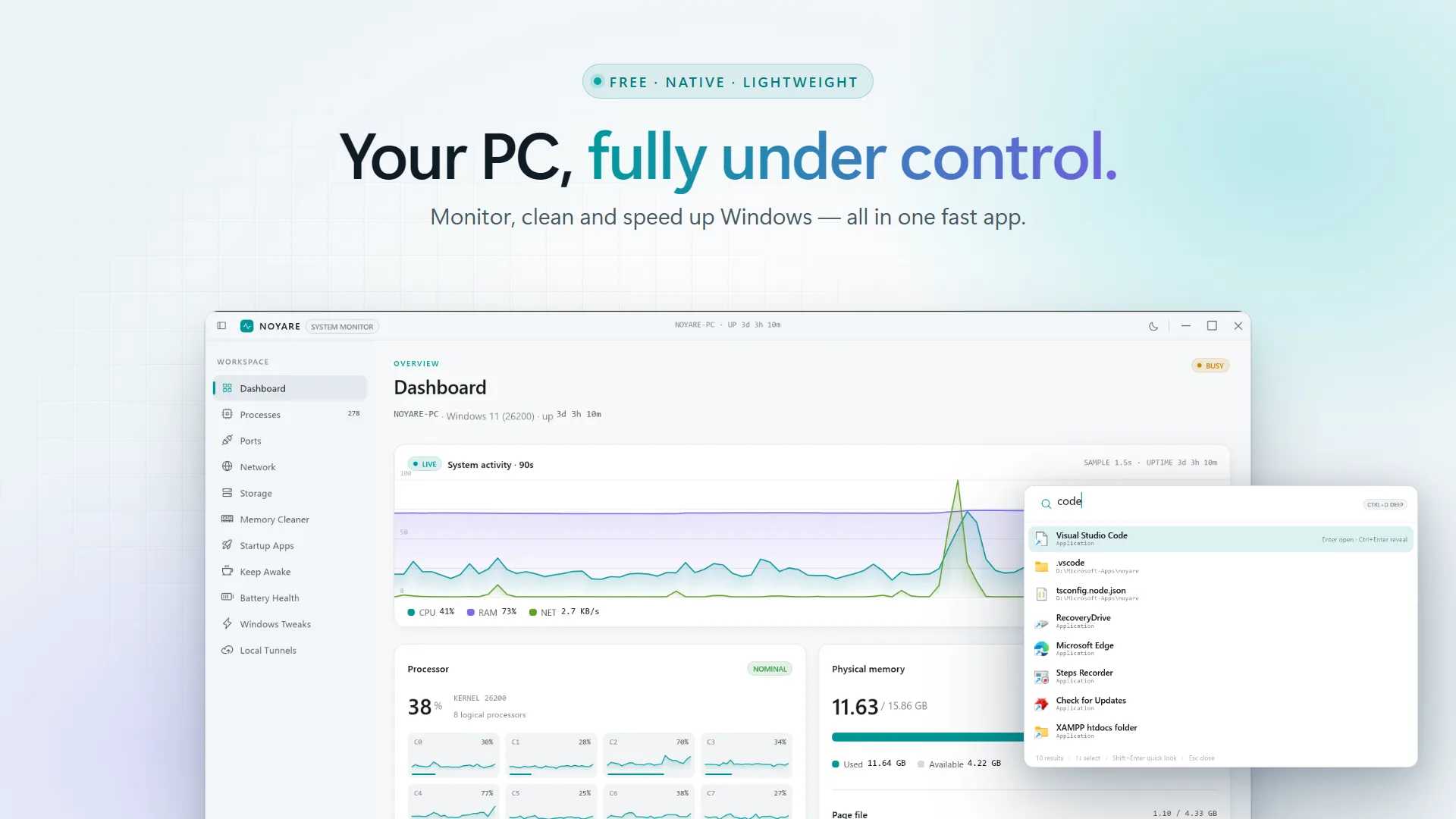
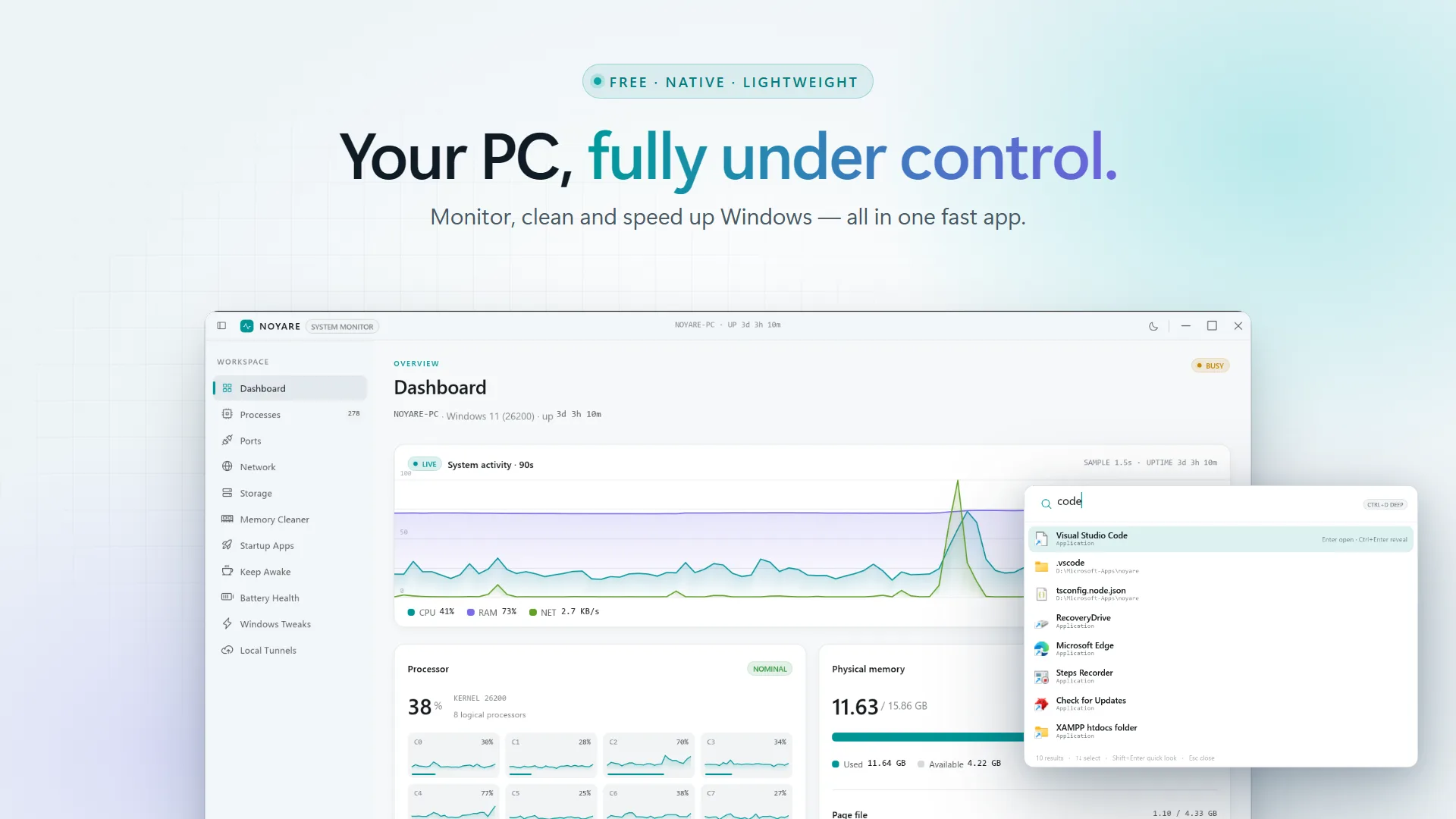
Noyare watches every process, every open port, every DNS lookup and every byte on disk in one calm surface. Thirteen native tools: dashboard, process and trust manager, port inspector, DNS sniffer, storage cleaner, HTTPS proxy, memory optimiser, startup manager, keep-awake, battery telemetry, Windows tweaks, Cloudflare tunnels and Quick Look. Free on the Microsoft Store, with no telemetry leaving the machine.
Features
Everything in Noyare
- Dashboard
- Full-bleed live activity ribbon, per-core sparklines, memory and swap breakouts.
- Processes
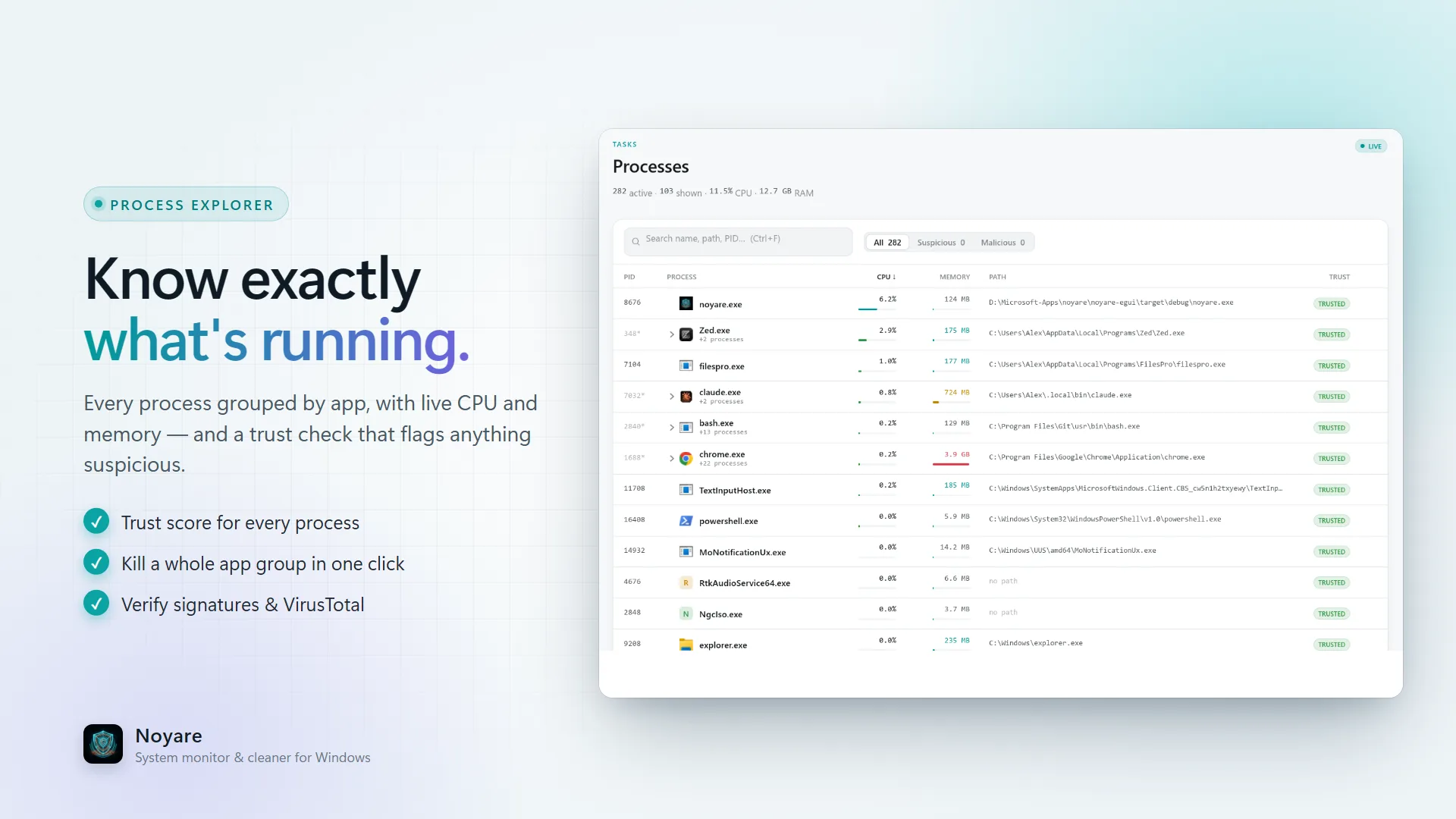
- Every PID with CPU and memory, trust evaluation with VirusTotal and Authenticode checks, sort, filter and drill into paths.
- Ports
- All listening and established sockets, risk-classified as safe, exposed or system.
- Network
- Active connections plus a live DNS sniffer streaming every lookup that leaves your box.
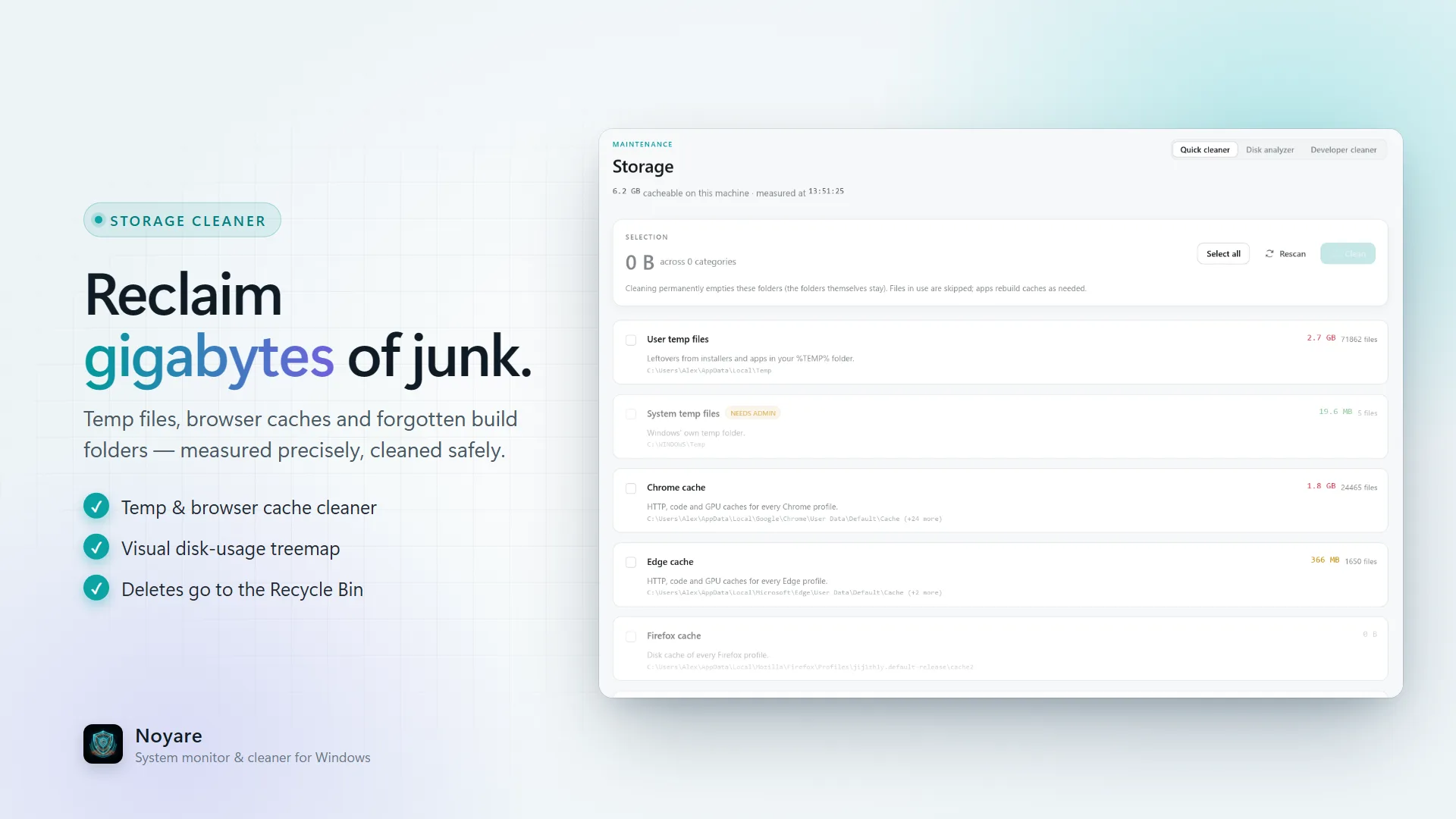
- Storage
- Quick cleaner for caches and temp files, plus a recursive disk analyser with treemaps.
- Proxy
- A local HTTPS proxy. Capture, break on, modify and repeat any request.
- Memory
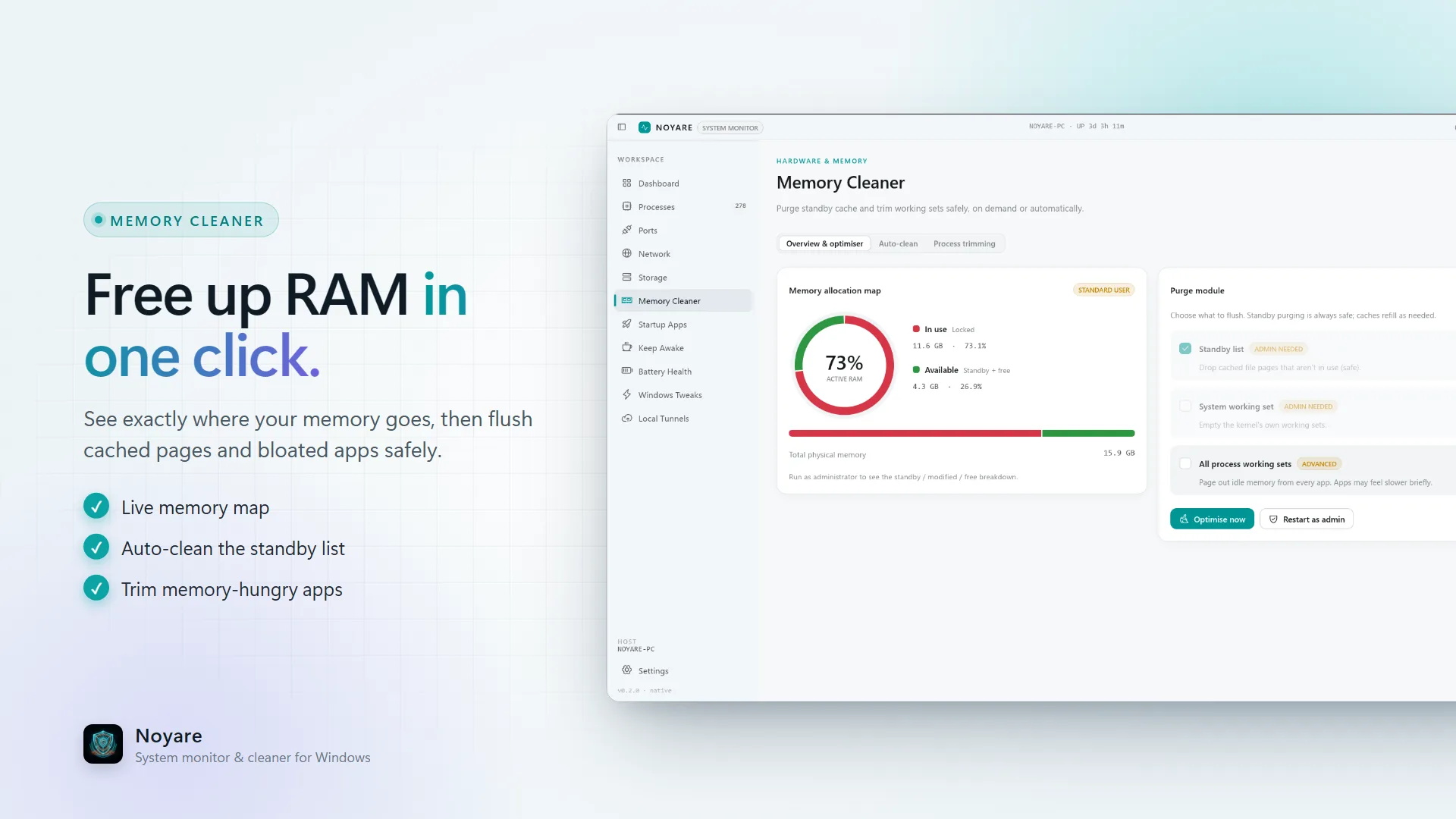
- Standby list cleaner engine to purge cached pages and free RAM instantly.
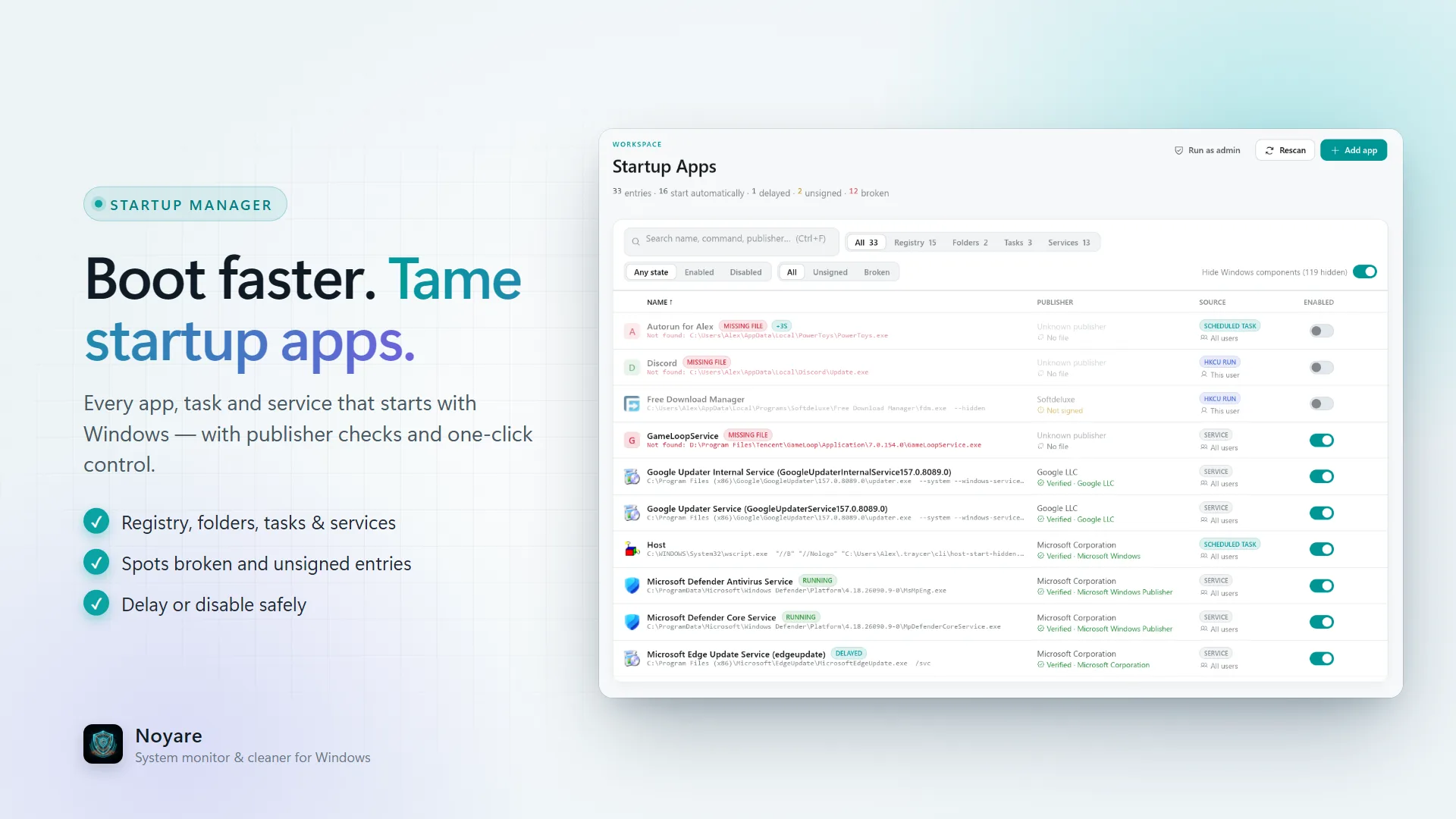
- Startup
- Manage startup applications, analyse safety and configure launch delays.
- Insomnia
- Keep-awake power manager triggered by process watch lists, battery levels or network.
- Battery
- Deep telemetry on wear level, cycle counts, voltage and discharge logs.
- Tweaks
- Windows customisation hub for scrollbars, menu delays, snap layouts and privacy.
- Tunnels
- Cloudflare tunnel daemon. Expose localhost on public domains with traffic metrics.
- Quick Look
- Spacebar file preview for code, images, audio, video and archives.
Screenshots
See it in action

FAQ
Frequently asked questions
Is Noyare free?
Yes. Noyare is free on the Microsoft Store for Windows 10 and 11.
Does Noyare send data anywhere?
No telemetry leaves the machine. The optional VirusTotal hash lookup in the process manager only runs when you ask for it.
How heavy is Noyare?
The install is about 18 MB and it uses roughly 0.4% CPU at idle while sampling telemetry every 1.1 seconds.
Can Noyare replace Task Manager?
For most monitoring work, yes. It adds trust checks, port classification, a DNS sniffer, an HTTPS proxy and a memory optimiser that Task Manager does not have.
What is Noyare built with?
Rust and Tauri, with native Windows APIs for telemetry.
Get Noyare
Install Noyare from the Microsoft Store on Windows 10 or 11.